UDP Applications and Use Cases
When you stream a video, make a VoIP call, or play an online game, you're likely using UDP (User Datagram Protocol). Unlike TCP, UDP is connectionless and provides no reliability guarantees, making it ideal for applications where speed matters more than perfect delivery. For the CCNA 200-301 exam (Objective 1.5), you must understand which applications use UDP and why, how UDP works at the packet level, and how to verify UDP traffic on Cisco IOS devices. This knowledge is essential for real network engineering, as UDP underpins many critical services like DNS, DHCP, and real-time media.
Jump to a section
The Postcard vs. Registered Mail
Imagine you want to send a message to a friend across town. You have two options: a postcard or a registered letter. A postcard is quick and cheap: you write the message, slap on an address, and drop it in a mailbox. You don't know if it arrives—maybe it gets lost, maybe it doesn't. The post office doesn't track it; there's no confirmation. That's UDP. Now consider a registered letter: you fill out forms, pay extra, get a receipt, and the post office tracks every step. Your friend must sign for it, and you get a delivery confirmation. If it gets lost, you can resend. That's TCP. UDP is perfect for applications where occasional loss is acceptable, like live video streaming or online gaming. If one frame of a video call is lost, you might see a tiny glitch, but the conversation continues. If you used registered mail for every packet, the delay would be unbearable. The key difference: UDP has no handshake, no acknowledgments, no retransmissions. It's fire-and-forget. The sender doesn't care if the receiver got it; the receiver doesn't ask for missing pieces. This simplicity gives UDP lower overhead and lower latency, but at the cost of reliability.
How It Actually Works
What is UDP?
User Datagram Protocol (UDP) is a transport layer protocol defined in RFC 768. It provides a connectionless, unreliable, best-effort delivery service. Unlike TCP, UDP does not establish a connection before sending data, nor does it guarantee delivery, ordering, or error recovery. The sender simply sends datagrams (called segments) without waiting for acknowledgment. This makes UDP lightweight and fast, but applications must handle reliability themselves if needed.
Why UDP Exists
TCP provides reliable, ordered delivery with flow control and congestion avoidance. However, these features add overhead: a three-way handshake (SYN, SYN-ACK, ACK) before data transfer, acknowledgments for every segment, retransmission timers, and sequence numbers. For real-time applications like voice over IP (VoIP), video conferencing, or online gaming, this overhead introduces unacceptable latency. A lost packet in a voice call is better handled by a small gap in audio than by retransmitting the packet, which would arrive too late. UDP eliminates this overhead, giving applications direct control over timing and delivery.
UDP Header Structure
The UDP header is only 8 bytes, compared to TCP's 20+ bytes. It contains four fields: - Source Port (16 bits): Identifies the sending application. - Destination Port (16 bits): Identifies the receiving application. - Length (16 bits): Length of the UDP header plus payload (minimum 8 bytes). - Checksum (16 bits): Optional in IPv4 (but usually enabled), mandatory in IPv6. Used for error detection over the header and data.
Because the header is minimal, UDP has low overhead. The checksum is optional in IPv4, but Cisco devices enable it by default.
How UDP Works Step by Step
Application writes data: An application (e.g., DNS client) creates a message and passes it to the transport layer.
UDP encapsulation: The UDP module adds the 8-byte header, including source and destination ports. No connection state is created.
IP encapsulation: The UDP segment is passed to the network layer, which adds an IP header.
Transmission: The packet is sent to the destination. No acknowledgment is expected.
Reception: The destination host receives the packet and checks the destination port. If no application is listening, the packet is discarded (and optionally an ICMP Port Unreachable is sent).
Delivery to application: The data is passed to the application identified by the destination port.
Key Characteristics
Connectionless: No setup or teardown. No sequence numbers or acknowledgments.
Unreliable: No guarantee of delivery. Packets may be lost, duplicated, or arrive out of order.
No flow control: The sender can transmit at any rate, potentially overwhelming the receiver.
No congestion control: UDP does not reduce its sending rate when the network is congested.
Low latency: No handshake, no waiting for ACKs.
Supports broadcast and multicast: UDP can send to broadcast (255.255.255.255) or multicast addresses; TCP cannot.
Common UDP Applications and Ports
| Application | Port(s) | Why UDP? | |-------------|---------|----------| | DNS (Domain Name System) | 53 | Simple query-response; a single packet. Reliability is handled by the application (retry if no response). | | DHCP (Dynamic Host Configuration Protocol) | 67, 68 | Client broadcasts to discover servers; no connection needed. | | TFTP (Trivial File Transfer Protocol) | 69 | Simple file transfer for booting devices; uses UDP with application-level acknowledgments. | | SNMP (Simple Network Management Protocol) | 161, 162 | Monitoring and management; occasional loss is acceptable. | | RIP (Routing Information Protocol) | 520 | Routing updates sent periodically; loss is tolerable. | | VoIP (e.g., SIP, RTP) | 5060, 16384-32767 | Real-time audio; retransmission would cause delay. | | Streaming video (e.g., IPTV) | Various | Real-time; loss causes glitches but retransmission is worse. | | Online gaming | Various | Low latency is critical; occasional packet loss is acceptable. |
UDP vs. TCP: When to Use Which
Use UDP when: Low latency is critical, occasional loss is acceptable, or the application handles reliability (e.g., DNS retries). Also for broadcast/multicast.
Use TCP when: Data must be delivered reliably and in order (e.g., web pages, email, file transfers).
Verifying UDP Traffic on Cisco IOS
Cisco IOS provides several show commands to inspect UDP traffic:
Router# show ip sockets
Proto    Remote           Port      Local           Port  In Out Stat TTY OutputIF
 17      --listen--       --any--   0.0.0.0         67    0   0   221   0
 17      --listen--       --any--   0.0.0.0         520   0   0   221   0
Protocol 17 indicates UDP. The output shows listening UDP sockets.
Router# show udp
Total UDP sockets: 2

  Local Address   Port   Remote Address  Port   State
  0.0.0.0         67     0.0.0.0         0      LISTEN
  0.0.0.0         520    0.0.0.0         0      LISTEN
For detailed packet capture, use:
Router# debug ip packetBut be cautious: debug commands can impact performance on production routers.
Interaction with Other Protocols
IP: UDP segments are encapsulated in IP packets. The IP header's Protocol field is set to 17 for UDP.
NAT: UDP is commonly used with NAT because it is connectionless. NAT devices must track UDP flows using source IP/port and destination IP/port.
QoS: UDP traffic (e.g., VoIP) is often marked for prioritization using DSCP values.
Exam Tip
The CCNA exam expects you to know which applications use UDP and why. You may be asked to identify the correct transport protocol for a given application scenario. Remember: DNS, DHCP, TFTP, SNMP, RIP, VoIP, and streaming video use UDP. Also, UDP supports broadcast and multicast; TCP does not.
Walk-Through
Identify UDP Applications
List common applications that use UDP: DNS (port 53), DHCP (ports 67,68), TFTP (69), SNMP (161,162), RIP (520), VoIP (RTP ports 16384-32767), streaming video, and online gaming. The CCNA exam tests your ability to match applications to their transport protocol. Remember: if the application is real-time or uses broadcast/multicast, it's likely UDP. For example, DNS queries are simple request-response; if a response is lost, the client retries, so UDP is fine.
Understand UDP Header Format
The UDP header is 8 bytes: Source Port (2 bytes), Destination Port (2 bytes), Length (2 bytes), Checksum (2 bytes). The Length field includes the header itself (8 bytes) plus the data. The checksum is optional in IPv4 but highly recommended; Cisco devices enable it by default. On the exam, you may be asked to calculate the UDP length given payload size. For example, if the payload is 100 bytes, the total UDP segment length is 108 bytes (8 header + 100 data).
Compare UDP and TCP Headers
TCP headers are at least 20 bytes and include sequence numbers, acknowledgment numbers, flags, window size, checksum, and urgent pointer. UDP headers are only 8 bytes. This difference is why UDP has lower overhead. On the exam, you may need to identify which header fields are present in UDP vs TCP. For example, TCP has sequence numbers; UDP does not. TCP has a window field for flow control; UDP does not.
Explain Why UDP is Used for Voice/Video
VoIP and video streaming are real-time applications. They require low latency and minimal jitter. If a packet is lost, retransmitting it would cause a delay that disrupts the conversation. Instead, the application may use error concealment (e.g., repeat the last packet) or simply skip the lost data. TCP's reliability mechanisms (retransmissions, acknowledgments) would introduce too much delay. Therefore, UDP is preferred, and any reliability is handled at the application layer (e.g., using RTP with sequence numbers).
Verify UDP with IOS Commands
Use 'show ip sockets' to see all UDP and TCP sockets. Protocol 17 indicates UDP. Use 'show udp' for a cleaner view of UDP sockets. For example: ``` Router# show udp Total UDP sockets: 2 Local Address Port Remote Address Port State 0.0.0.0 67 0.0.0.0 0 LISTEN 0.0.0.0 520 0.0.0.0 0 LISTEN ``` This shows the router is listening for DHCP (port 67) and RIP (port 520) traffic. You can also use 'debug ip packet' to see UDP packets, but use it carefully. On the exam, you might be asked what command shows UDP listening ports.
Recognize UDP in Packet Capture
In a packet capture (e.g., Wireshark), a UDP packet shows the source and destination IP, protocol number 17 (UDP), and the UDP header fields. The absence of sequence numbers and ACKs distinguishes it from TCP. The packet is not part of a connection; each datagram is independent. On the exam, you might be shown a packet decode and asked to identify the transport protocol. Look for the Protocol field in the IP header or the lack of flags like SYN/ACK.
What This Looks Like on the Job
In enterprise networks, UDP is critical for real-time communications and infrastructure services. Consider a VoIP deployment using Cisco Unified Communications Manager (CUCM). IP phones use UDP for RTP (Real-Time Transport Protocol) to carry audio. The network engineer must ensure low latency and jitter by implementing QoS policies that prioritize UDP traffic from voice VLANs. Typically, RTP uses destination UDP ports in the range 16384-32767. The engineer configures class maps and policy maps to mark these packets with DSCP EF (Expedited Forwarding). If UDP is misconfigured (e.g., a firewall blocks these ports), voice calls fail. Conversely, if TCP is used instead (e.g., by mistake), the audio quality degrades due to retransmissions.
Another scenario: DNS resolution. Every time a user visits a website, their computer sends a UDP DNS query to a DNS server (often port 53). The server responds with the IP address. DNS uses UDP because queries are small and fit in a single packet. If a response is lost, the client retries. Network engineers must ensure that DNS traffic is allowed through firewalls and that DNS servers are not overloaded. A common issue is DNS amplification attacks, where attackers send small queries with spoofed source IPs, causing the server to send large responses to the victim. Mitigation includes rate-limiting UDP traffic and using DNS Response Rate Limiting (RRL).
TFTP is used for network device booting (e.g., Cisco phones, routers). During a firmware upgrade, the device sends TFTP requests to a TFTP server. TFTP uses UDP port 69. Because UDP is unreliable, TFTP implements its own acknowledgment and timeout mechanism. However, if the network is lossy, TFTP transfers can be slow. Network engineers often use TFTP for small file transfers within a LAN. For WAN transfers, FTP (TCP) is preferred. A misconfigured TFTP server (e.g., wrong port) causes boot failures. Understanding UDP's role helps engineers troubleshoot such issues quickly.
How CCNA 200-301 Actually Tests This
The CCNA 200-301 exam objective 1.5 covers 'Compare TCP to UDP.' You must know the characteristics of each and which applications use which. The exam will present scenarios like 'An application requires low overhead and does not need reliability. Which transport protocol should be used?' The answer is UDP. Common wrong answers: - 'TCP because it is more reliable': Candidates choose TCP for everything, but reliability comes at a cost. The question specifically says 'low overhead' and 'does not need reliability,' so UDP is correct. - 'UDP supports sequencing and retransmission': This is false. UDP has no sequencing or retransmission. That's TCP. - 'UDP is connection-oriented': No, UDP is connectionless. - 'TCP supports broadcast': TCP cannot broadcast; only UDP can.
Specific values to memorize: UDP header length is 8 bytes. TCP header minimum is 20 bytes. UDP port numbers for DNS (53), DHCP (67,68), TFTP (69), SNMP (161,162), RIP (520). Protocol number for UDP is 17; for TCP it's 6.
Calculation trap: If a UDP payload is 1000 bytes, what is the total UDP segment length? Answer: 1008 bytes (header 8 + payload 1000). The IP header adds another 20 bytes, making the total packet 1028 bytes. The exam may ask for the UDP Length field value.
Decision rule: When choosing between TCP and UDP for an application, ask: (1) Is the application real-time (voice/video/gaming)? Use UDP. (2) Does the application need to broadcast/multicast? Use UDP. (3) Does the application require reliable delivery of all data (web, email, file transfer)? Use TCP. For DNS and DHCP, they use UDP because they are simple query-response and can retry.
Key Takeaways
UDP is connectionless and unreliable; no handshake, no ACKs, no retransmission.
UDP header is 8 bytes: Source Port, Destination Port, Length, Checksum.
Common UDP applications: DNS (53), DHCP (67,68), TFTP (69), SNMP (161,162), RIP (520), VoIP (RTP).
UDP supports broadcast and multicast; TCP does not.
IP protocol number for UDP is 17.
UDP is preferred for real-time applications because of low latency.
Use 'show udp' or 'show ip sockets' on Cisco IOS to verify UDP sockets.
Easy to Mix Up
These come up on the exam all the time. Here's how to tell them apart.
UDP
Connectionless; no handshake
Unreliable; no ACKs or retransmission
Header: 8 bytes
Supports broadcast/multicast
Used by DNS, DHCP, VoIP, TFTP, SNMP, RIP
No flow control or congestion control
TCP
Connection-oriented; three-way handshake
Reliable; ACKs, retransmission, sequencing
Header: 20 bytes minimum
Point-to-point only; no broadcast/multicast
Used by HTTP, FTP, SMTP, SSH, Telnet
Flow control (window) and congestion control
Watch Out for These
Mistake
UDP guarantees delivery of data.
Correct
UDP is best-effort; it does not guarantee delivery. Applications must handle reliability themselves if needed.
Candidates confuse UDP with TCP, which provides reliable delivery through acknowledgments and retransmissions.
Mistake
UDP is slower than TCP because it has less overhead.
Correct
UDP is actually faster because it has lower overhead and no connection setup. The misconception may stem from thinking 'more features = slower', but UDP's simplicity makes it faster.
Candidates may think that more overhead means slower, but in networking, overhead is additional data that reduces throughput. UDP has less overhead, so it can be faster.
Mistake
UDP can only be used for small amounts of data.
Correct
UDP can be used for any size data, but because it is unreliable, large transfers may suffer from loss. Protocols like TFTP use UDP but implement application-level reliability for small files.
Candidates see DNS and DHCP using UDP for small packets and assume UDP is only for small data. However, video streaming uses UDP for large data but tolerates loss.
Mistake
UDP does not use port numbers.
Correct
UDP uses 16-bit source and destination port numbers in its header, just like TCP.
Candidates might think that because UDP is simpler, it lacks ports. But port numbers are essential for multiplexing applications.
Do You Actually Know This?
Reveal each answer, then mark whether you got it right. Score 60%+ to unlock the next chapter.
Frequently Asked Questions
Why does DNS use UDP instead of TCP?
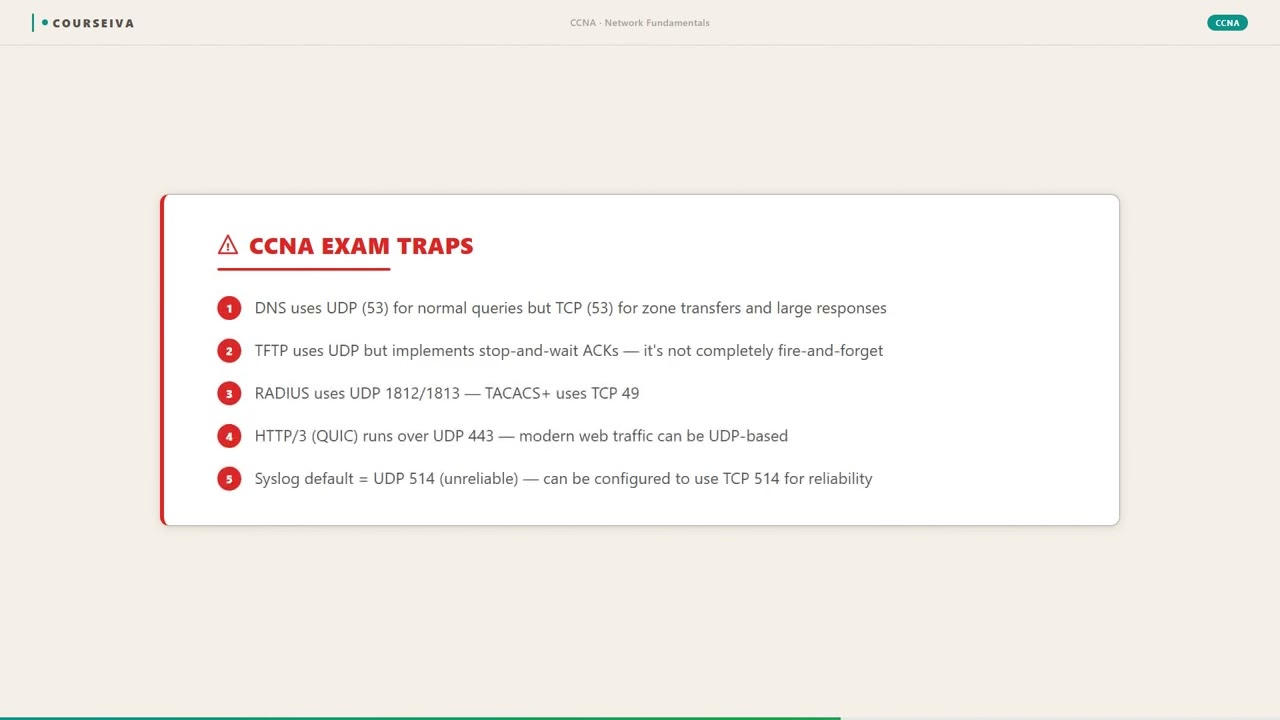
DNS uses UDP for most queries because they are small and fit in a single packet. UDP's low overhead makes it faster. If a response is lost, the client retries. TCP is used for zone transfers or when the response exceeds 512 bytes (EDNS0). On the CCNA exam, remember that DNS uses UDP by default.
Can UDP be used for file transfers?
Yes, but with limitations. TFTP (Trivial FTP) uses UDP for simple file transfers, typically for booting devices. It has its own acknowledgment and timeout mechanism. However, for large files, TCP is preferred because it handles reliability and congestion control better. On the exam, know that TFTP uses UDP.
What is the UDP checksum and is it mandatory?
The UDP checksum is a 16-bit field used for error detection over the UDP header and data. In IPv4, it is optional but recommended; Cisco devices enable it by default. In IPv6, it is mandatory. On the exam, know that the checksum can be set to zero in IPv4 to indicate no checksum.
How does UDP handle packet loss?
UDP does not handle packet loss. It is a best-effort protocol. If a packet is lost, the sender does not retransmit. The application must detect and handle loss (e.g., by retrying or using forward error correction). On the exam, remember that UDP provides no reliability.
What is the difference between UDP and TCP in terms of connection state?
UDP is stateless; it does not maintain connection state. Each datagram is independent. TCP is stateful; it maintains connection state (e.g., sequence numbers, window size) for the duration of the connection. This is why firewalls and NAT devices must track UDP flows differently than TCP connections.
Why do online games use UDP?
Online games require low latency and frequent updates. If a packet is lost, it's better to skip it than to wait for a retransmission, which would cause lag. UDP provides minimal overhead and allows the game to send updates as fast as needed. On the exam, recognize gaming as a UDP application.
Can you use TCP for VoIP?
Technically yes, but it would perform poorly. TCP's retransmissions and congestion control introduce delay and jitter, degrading voice quality. VoIP uses UDP with RTP to minimize delay. If packet loss occurs, the audio codec can often conceal it. On the exam, VoIP is a classic UDP example.
Terms Worth Knowing
Ready to put this to the test?
You've just covered UDP Applications and Use Cases — now see how well it sticks with free CCNA 200-301 practice questions. Full explanations included, no account needed.
Done with this chapter?