HTTP vs HTTPS
HTTP and HTTPS are the foundation of web communication, and every network engineer must understand the difference between them. On the CCNA 200-301 exam, objective 1.5 (Network Fundamentals) expects you to know how these protocols work, their default ports, and why HTTPS is critical for secure transactions. In the real world, you'll configure access-lists, troubleshoot connectivity, and ensure encrypted traffic flows correctly—so this isn't just theory.
Jump to a section
A simple way to picture HTTP vs HTTPS
The Postcard vs Sealed Envelope
A postcard to a friend across town is the most public way to send a message. HTTP is like writing your message on a postcard and dropping it in the mail. Anyone who handles the postcard—the mail carrier, a nosy neighbor, a postal worker—can read your message. The address on the front (the URL) is visible, and the content is completely exposed. There's no privacy, no integrity check, and no way to verify that the postcard wasn't tampered with. Now, HTTPS is like putting that same message inside a sealed, tamper-evident envelope. You write the address on the envelope, but inside, the message is written in a secret code that only your friend has the key to decode. The mail carrier can see the address and deliver it, but they cannot read the contents. If someone tries to open the envelope, the tamper-evident seal breaks, alerting your friend. Additionally, your friend can verify that the envelope really came from you by checking a special wax seal that only you can create. This is exactly how HTTPS works: it uses Transport Layer Security (TLS) to encrypt the data, provide integrity checks, and authenticate the server (and optionally the client). HTTP is the postcard—fast and lightweight, but completely insecure. HTTPS is the sealed, encrypted envelope—slower due to the encryption overhead, but essential for any sensitive communication.
How It Actually Works
HTTP (Hypertext Transfer Protocol) is the foundation of data communication on the World Wide Web. It is an application-layer protocol that defines how messages are formatted and transmitted, and how web servers and browsers should respond to various commands. HTTP is a stateless, request-response protocol: the client (usually a browser) sends a request, and the server sends back a response. The default port for HTTP is TCP 80.
HTTPS (HTTP Secure) is essentially HTTP over a secure connection, using TLS (Transport Layer Security) or its predecessor SSL (Secure Sockets Layer). HTTPS encrypts the entire HTTP request and response, ensuring confidentiality, integrity, and authentication. The default port for HTTPS is TCP 443.
Why HTTPS Exists
HTTP transmits data in plaintext. This means any device between the client and server (routers, switches, Wi-Fi access points, ISPs) can read the contents of the communication. For sensitive data like passwords, credit card numbers, or personal information, this is unacceptable. HTTPS encrypts the data so that even if it is intercepted, it cannot be read. Additionally, HTTPS provides authentication: the client can verify that it is talking to the legitimate server, not an imposter (man-in-the-middle). It also ensures data integrity, meaning the data cannot be modified in transit without detection.
How HTTPS Works Step by Step
HTTPS uses TLS to secure the connection. The process involves a TLS handshake, which occurs before any HTTP data is exchanged. Here is the step-by-step mechanism:
Client Hello: The client sends a TCP SYN to port 443 on the server. After the TCP three-way handshake completes, the client sends a "Client Hello" message. This includes the TLS version it supports, a list of cipher suites (encryption algorithms), and a random number.
Server Hello: The server responds with a "Server Hello" message, selecting the highest TLS version and a cipher suite from the client's list. It also sends its own random number and its digital certificate (which contains the server's public key and identity information).
Certificate Verification: The client verifies the server's certificate. It checks that the certificate is valid (not expired), issued by a trusted Certificate Authority (CA), and matches the domain name. If verification fails, the browser warns the user.
Key Exchange: The client generates a pre-master secret (another random number), encrypts it with the server's public key (from the certificate), and sends it to the server. The server decrypts it with its private key. Both client and server then independently compute the same session key using the two random numbers and the pre-master secret.
Finished Messages: Both sides send a "Finished" message encrypted with the session key, confirming that the handshake is complete and subsequent data will be encrypted.
Secure Data Transfer: Now the client can send an HTTP request (e.g., GET /index.html) encrypted with the session key. The server decrypts it, processes the request, and sends an encrypted HTTP response.
All of this happens in a matter of milliseconds. The overhead of the TLS handshake adds latency compared to HTTP, but modern protocols like TLS 1.3 have reduced this to just one round trip.
Key Differences Between HTTP and HTTPS
Port: HTTP uses TCP 80; HTTPS uses TCP 443.
Encryption: HTTP has none; HTTPS uses TLS/SSL encryption.
Authentication: HTTP does not authenticate the server; HTTPS uses certificates to verify server identity.
Integrity: HTTP data can be modified in transit; HTTPS includes message authentication codes (MAC) to detect tampering.
Performance: HTTP is faster because no encryption overhead; HTTPS adds latency due to handshake and encryption/decryption.
URL Scheme: HTTP URLs start with http://; HTTPS URLs start with https://.
IOS CLI Verification Commands
On a Cisco router or switch, you can verify HTTP/HTTPS server settings and connections using the following commands:
R1# show ip http server status
HTTP server status: Enabled
HTTP server port: 80
HTTP server authentication method: local
HTTP server access class: 10
HTTP server base path: /
HTTP server active session count: 2
R1# show ip http secure server status
HTTP secure server status: Enabled
HTTP secure server port: 443
HTTP secure server ciphersuite: 3des-ede-cbc-sha
HTTP secure server trustpoint: TP-self-signed-123456
HTTP secure server active session count: 0To enable or disable the HTTP/HTTPS server on a Cisco device:
R1(config)# ip http server
R1(config)# ip http secure-server
R1(config)# no ip http server
How HTTP/HTTPS Interacts with Related Protocols
TCP: HTTP and HTTPS rely on TCP for reliable delivery. HTTP typically uses a single TCP connection per request (though HTTP/1.1 introduced persistent connections). HTTPS uses TCP as well, but the TLS layer sits between TCP and HTTP.
DNS: Before an HTTP/HTTPS request, the client resolves the domain name to an IP address using DNS.
NAT/PAT: Network Address Translation can affect HTTP/HTTPS traffic. For example, if you have a web server behind a home router, you need port forwarding for TCP 80 and 443.
Firewalls and ACLs: Network engineers often block HTTP (port 80) to force users to use HTTPS, or they allow only HTTPS through firewalls. ACLs can be configured to permit or deny traffic based on destination port.
Proxy Servers: Proxies can intercept HTTP traffic (transparent proxy) or require explicit configuration. HTTPS traffic is often tunneled through CONNECT method or decrypted using SSL inspection.
Walk-Through
Understand HTTP Protocol Basics
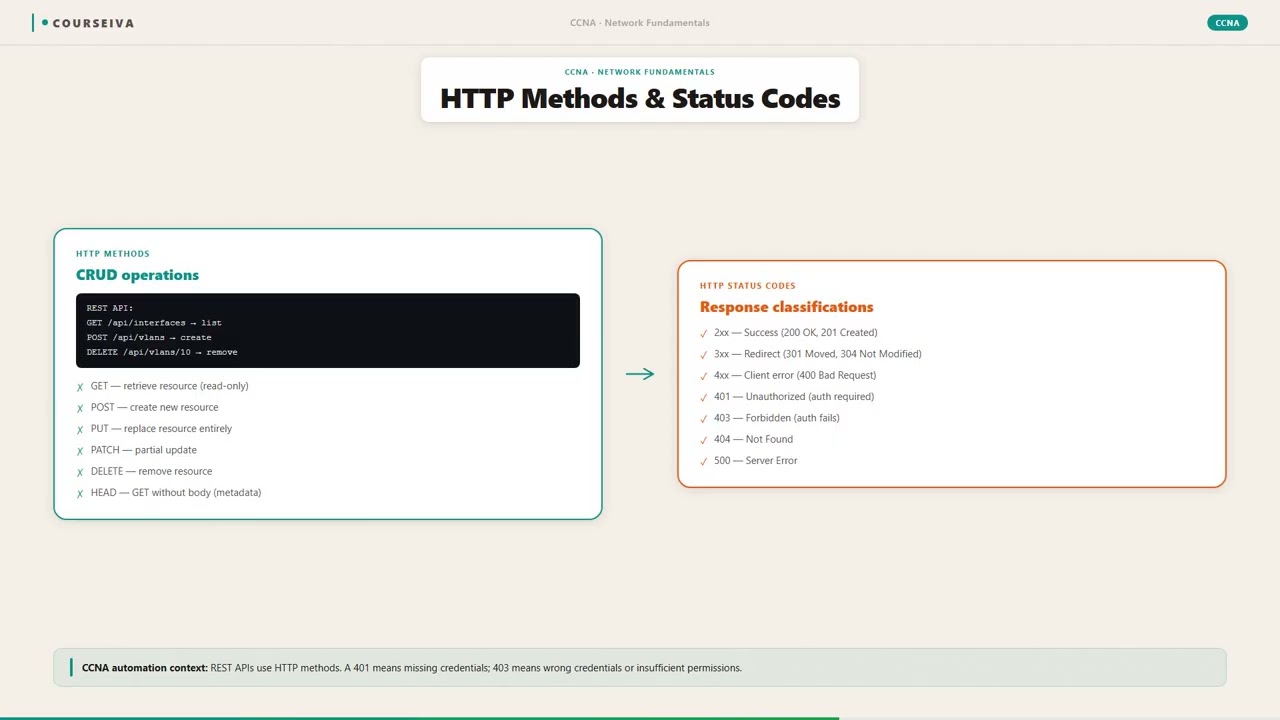
HTTP is a request-response protocol operating at the application layer (Layer 7). It uses TCP as its transport protocol. The client opens a TCP connection to the server on port 80, sends an HTTP request (e.g., GET /index.html HTTP/1.1), and the server responds with a status line (e.g., HTTP/1.1 200 OK), headers, and optionally a body. HTTP is stateless, meaning each request is independent; mechanisms like cookies are used to maintain state. Common methods include GET, POST, PUT, DELETE. Status codes are grouped: 1xx (informational), 2xx (success), 3xx (redirection), 4xx (client error), 5xx (server error).
Understand HTTPS and TLS Handshake
HTTPS is HTTP over TLS. The TLS handshake involves several steps: Client Hello (sends supported cipher suites and TLS version), Server Hello (chooses cipher suite and sends certificate), Certificate verification (client checks certificate chain), Key exchange (client encrypts pre-master secret with server's public key), and Finished messages (both sides confirm). After handshake, all HTTP data is encrypted using symmetric session keys. TLS 1.3 reduces round trips and removes insecure options. Understanding this handshake is crucial for troubleshooting SSL/TLS issues.
Configure HTTP/HTTPS on Cisco IOS
To enable the HTTP server on a Cisco router/switch, use `ip http server` in global config. To enable HTTPS, use `ip http secure-server`. You can configure port numbers with `ip http port <port>` and `ip http secure-port <port>`. Authentication can be set with `ip http authentication { local | tacacs | aaa }`. Access control can be applied using an ACL with `ip http access-class <acl>`. Example: `access-list 10 permit 192.168.1.0 0.0.0.255` then `ip http access-class 10` restricts HTTP access to that subnet.
Verify HTTP/HTTPS Configuration
Use `show ip http server status` to see if the HTTP server is enabled, its port, authentication method, and active sessions. Use `show ip http secure server status` for HTTPS details. For debugging, use `debug ip http { all | transactions | errors }`. Also, `show tcp brief` can show established TCP connections on ports 80 and 443. Example output: `show ip http server status` might show 'HTTP server status: Enabled' and 'HTTP server port: 80'.
Troubleshoot HTTP/HTTPS Connectivity
Common issues: server not enabled, ACL blocking traffic, certificate errors, or wrong port. Use `telnet <ip> 80` to test HTTP connectivity (if server responds, you can send a manual GET request). For HTTPS, use `openssl s_client -connect <ip>:443` on a Linux client. Check ACLs with `show access-lists`. Ensure the server's certificate is trusted by the client. If using self-signed certificates, browsers will show a warning. On IOS, you can generate a self-signed certificate with `crypto key generate rsa` and then configure trustpoint.
Understand Security Implications
HTTP sends data in cleartext, making it vulnerable to eavesdropping and man-in-the-middle attacks. HTTPS encrypts the entire session, preventing sniffing of passwords, cookies, and content. However, HTTPS does not hide the IP addresses or the fact that communication is occurring. Also, HTTPS can be vulnerable to attacks like SSL stripping if users type http:// instead of https://. HSTS (HTTP Strict Transport Security) forces browsers to always use HTTPS. On the exam, remember that HTTPS uses port 443 and provides encryption, authentication, and integrity.
What This Looks Like on the Job
Scenario 1: Securing a Corporate Web Server
A company hosts an internal web application for employee timesheets. Initially, it runs on HTTP (port 80). The security team mandates that all internal traffic must be encrypted. The network engineer enables HTTPS on the web server (IIS, Apache, etc.) and obtains a certificate from an internal CA. They then configure the firewall to allow inbound TCP 443 to the server and block TCP 80 (or redirect it). On the router, they might create an ACL to permit HTTPS traffic from the internal subnet only. They also configure the router's HTTP server (for management) to use HTTPS and disable HTTP. The engineer verifies using show ip http secure server status and tests with a browser using https://. Performance impact is minimal because the server is internal and traffic volume is low.
Scenario 2: Public-Facing E-commerce Site
An e-commerce site must handle credit card transactions. PCI DSS compliance requires HTTPS for all payment pages. The network engineer works with the web team to deploy a load balancer that terminates TLS (SSL offloading). The load balancer handles the encryption/decryption, reducing load on web servers. The engineer configures the firewall to allow TCP 443 from anywhere to the load balancer, and only allow HTTP (port 80) from the load balancer to the backend servers (internal network). They also implement HSTS by adding a header in the web server configuration. Monitoring shows that HTTPS adds about 10-20% overhead in CPU usage on the load balancer, but modern hardware handles it easily. Misconfiguration, such as using a weak cipher suite or expired certificate, can cause browser warnings and loss of customer trust.
Scenario 3: Guest Wi-Fi Captive Portal
A hotel offers free Wi-Fi but requires users to accept terms via a captive portal. The portal initially uses HTTP to redirect users. However, modern browsers flag HTTP pages as 'Not Secure', causing user concern. The network engineer upgrades the captive portal to HTTPS using a public certificate (e.g., Let's Encrypt). They configure the wireless controller to redirect all HTTP traffic to the HTTPS portal. They also ensure that the DNS resolves the portal domain correctly. The challenge is that the portal must intercept the initial HTTP request and redirect to HTTPS, which requires proper configuration of the controller's web authentication feature. Misconfiguration can lead to users not being redirected or getting certificate warnings.
Performance Considerations
HTTPS adds latency due to the TLS handshake. For high-traffic sites, this can be mitigated by using session resumption (TLS tickets), OCSP stapling, and HTTP/2 (which multiplexes streams over a single TCP connection). Hardware acceleration (e.g., crypto cards on routers) can offload encryption. On Cisco routers, the ip http secure-server command uses the router's CPU for encryption, which can be a bottleneck if many sessions are active. In such cases, consider using an external SSL accelerator or limiting HTTPS management access to a few administrators.
How CCNA 200-301 Actually Tests This
What the 200-301 Exam Tests
Objective 1.5 (Network Fundamentals) includes comparing HTTP and HTTPS. Specifically, you need to know:
Default ports: HTTP = 80, HTTPS = 443
That HTTPS uses TLS/SSL for encryption, authentication, and integrity
That HTTP is plaintext and insecure
Basic understanding of the TLS handshake (not deep details, but that it involves certificates and key exchange)
That HTTPS is slower due to encryption overhead
Common Wrong Answers and Why
"HTTPS uses port 80" – Candidates confuse this because both are HTTP-based. Remember: HTTPS uses 443.
"HTTPS encrypts the entire packet including IP headers" – No, TLS encrypts only the application data (HTTP payload). IP headers remain unencrypted for routing.
"HTTPS uses SSL, not TLS" – While SSL is the predecessor, modern HTTPS uses TLS. The exam may refer to TLS/SSL interchangeably, but know that TLS is the current standard.
"HTTP and HTTPS both use TCP" – This is true, but some candidates think HTTPS uses UDP. Both use TCP.
Specific Values and Commands
Default ports: 80 (HTTP), 443 (HTTPS)
IOS commands: ip http server, ip http secure-server, show ip http server status
Cisco devices can act as HTTP/HTTPS servers for management (e.g., web interface)
Calculation Traps
No calculations, but watch for trick questions about port numbers. Example: "Which port does HTTPS use?" Options: 80, 443, 53, 22. Answer: 443.
Decision Rule for Scenario Questions
If a question asks about secure web traffic, look for keywords like "encrypted", "secure", "certificate", "confidentiality" – that points to HTTPS. If it's about basic web browsing without security, it's HTTP. Also, if the scenario involves a firewall rule, the destination port will be 443 for HTTPS.
Key Takeaways
HTTP uses TCP port 80; HTTPS uses TCP port 443.
HTTPS provides encryption, authentication, and integrity using TLS/SSL.
HTTP transmits data in plaintext, making it vulnerable to eavesdropping and tampering.
The TLS handshake involves client hello, server hello, certificate exchange, and key exchange before encrypted data transfer.
Cisco IOS can be configured as an HTTP/HTTPS server for management with commands like ip http server and ip http secure-server.
HTTPS adds latency due to encryption overhead and handshake round trips.
On the CCNA exam, know the default ports and the basic security differences between HTTP and HTTPS.
Easy to Mix Up
These come up on the exam all the time. Here's how to tell them apart.
HTTP
Default port: TCP 80
No encryption
No server authentication
Faster due to no encryption overhead
URL begins with http://
HTTPS
Default port: TCP 443
Encrypts data using TLS/SSL
Authenticates server via digital certificates
Slower due to handshake and encryption
URL begins with https://
Watch Out for These
Mistake
HTTPS encrypts the entire TCP segment, including headers.
Correct
HTTPS (TLS) encrypts only the application layer data (HTTP payload). TCP headers (source/destination ports, sequence numbers) remain unencrypted.
Candidates think encryption means everything is hidden, but routing requires IP and TCP headers.
Mistake
HTTP and HTTPS are completely different protocols.
Correct
HTTPS is simply HTTP over a TLS/SSL encryption layer. The HTTP protocol itself remains the same; only the transport is secured.
The 'S' stands for Secure, implying it's a separate protocol, but it's actually HTTP encapsulated in TLS.
Mistake
HTTPS uses UDP for faster performance.
Correct
HTTPS uses TCP (port 443) because it needs reliable, ordered delivery. UDP is not used for web traffic.
Some candidates associate speed with UDP, but HTTPS relies on TCP's reliability.
Mistake
HTTPS guarantees the website is safe from malware.
Correct
HTTPS only ensures encryption and server authentication. It does not protect against malicious content on the site itself.
The padlock icon is often misunderstood as a sign of safety, but it only indicates a secure connection, not site trustworthiness.
Do You Actually Know This?
Reveal each answer, then mark whether you got it right. Score 60%+ to unlock the next chapter.
Frequently Asked Questions
What is the difference between HTTP and HTTPS?
HTTP (Hypertext Transfer Protocol) transfers data in plaintext over TCP port 80. HTTPS (HTTP Secure) uses TLS/SSL to encrypt data over TCP port 443, providing confidentiality, authentication, and integrity. HTTPS is essential for any sensitive communication like online banking or login pages.
Does HTTPS use TCP or UDP?
HTTPS uses TCP (Transmission Control Protocol) on port 443. TCP provides reliable, ordered delivery of data, which is necessary for web traffic. UDP is not used for HTTPS.
Can HTTPS be intercepted?
While HTTPS encrypts the data content, the metadata (IP addresses, port numbers, and domain names via SNI) can still be observed. Interception is possible if the client trusts a rogue certificate (e.g., via a corporate proxy with SSL inspection). However, without such trust, interception is extremely difficult due to encryption.
What is a TLS handshake?
The TLS handshake is a process that occurs before any encrypted data is sent. It involves the client and server agreeing on a TLS version, cipher suite, exchanging certificates, and generating session keys. This handshake adds latency but ensures secure communication. TLS 1.3 reduces this to one round trip.
How do I enable HTTPS on a Cisco router?
Use the global configuration command `ip http secure-server`. You may also need to generate a RSA key pair using `crypto key generate rsa`. Verify with `show ip http secure server status`. To disable HTTP, use `no ip http server`.
What is a self-signed certificate?
A self-signed certificate is a certificate that is not signed by a trusted Certificate Authority (CA). It can be used for testing or internal networks, but browsers will show a security warning because the certificate is not trusted by default. For production, use a certificate from a public CA or an internal CA.
Why is HTTPS slower than HTTP?
HTTPS is slower because of the TLS handshake (additional round trips) and the computational overhead of encrypting and decrypting data. However, with modern hardware and protocols like TLS 1.3 and session resumption, the performance difference is often negligible for most users.
Terms Worth Knowing
Ready to put this to the test?
You've just covered HTTP vs HTTPS — now see how well it sticks with free CCNA 200-301 practice questions. Full explanations included, no account needed.
Done with this chapter?