TCP vs UDP
Every network application needs to send data from one device to another, but not all applications have the same requirements. Some, like web browsing or email, cannot tolerate any data loss, while others, like video streaming or online gaming, prioritize speed over perfect reliability. This is where TCP (Transmission Control Protocol) and UDP (User Datagram Protocol) come in—they are the two main transport layer protocols that determine how data is delivered. For the CCNA 200-301 exam (Objective 1.5), understanding the differences between TCP and UDP is essential because you will need to decide which protocol is appropriate for a given application, interpret packet captures, and troubleshoot performance issues. Mastering this topic is foundational for real network engineering work, as you will configure ACLs, QoS policies, and firewall rules that filter based on these protocols.
Jump to a section
Certified Mail vs. Postcard
Imagine you need to send important documents to a friend across the country. You have two options: certified mail or a postcard. Certified mail works like TCP. You fill out a form, pay for tracking, and the postal service gives you a receipt. The mail carrier delivers the package, obtains a signature from your friend, and sends that proof back to you. If the package gets lost, you are notified, and you can resend it. You know exactly when it arrived, and you have confirmation that it was received intact. This process is reliable but takes longer because of all the extra steps—forms, signatures, tracking, and potential retransmissions. Now consider a postcard, which is like UDP. You write a quick message, slap a stamp on it, and drop it in a mailbox. The postcard might arrive in a day or two, or it might get lost, bent, or delivered to the wrong address. You have no way of knowing if it arrived unless your friend calls you. But postcards are fast, cheap, and use minimal overhead. If you are sending a birthday greeting, losing one postcard is not a big deal—you can just send another. This mirrors how UDP works: it sends data packets (datagrams) without establishing a connection, without tracking delivery, and without retransmissions. The analogy breaks down slightly because TCP does not use a single 'receipt' per connection—it uses acknowledgments for each segment—but the core idea of reliability with overhead versus speed with no guarantees is perfectly captured. When you need to send a file that must be 100% intact, you choose TCP (certified mail). When you are streaming a live video where a lost frame is barely noticeable, you choose UDP (postcard).
How It Actually Works
TCP and UDP are transport layer protocols (Layer 4 of the OSI model). Their job is to take data from an application, break it into segments (TCP) or datagrams (UDP), add a header with source and destination port numbers, and pass it to the network layer (IP) for delivery. The key difference is that TCP provides reliable, connection-oriented communication, while UDP provides unreliable, connectionless communication.
TCP – Transmission Control Protocol
TCP is designed for applications that require guaranteed delivery. It establishes a virtual connection between sender and receiver before any data is sent. This is called a three-way handshake:
The client sends a SYN (synchronize) packet with a random initial sequence number (ISN), say 1000.
The server responds with a SYN-ACK packet, acknowledging the client's SYN (ACK = 1001) and sending its own SYN with a random ISN, say 2000.
The client sends an ACK packet acknowledging the server's SYN (ACK = 2001). The connection is now established.
Once connected, TCP provides: - Reliable delivery: Each segment sent is acknowledged. If the sender does not receive an ACK within a timeout (Retransmission Timeout – RTO, which is dynamically calculated based on round-trip time), it retransmits the segment. - In-order delivery: Segments are numbered with sequence numbers. The receiver reassembles them in order. If segments arrive out of order, the receiver buffers them until missing ones arrive. - Flow control: The receiver advertises a window size (in bytes) that tells the sender how much data it can accept. This prevents the sender from overwhelming the receiver. - Congestion control: TCP uses algorithms like slow start, congestion avoidance, fast retransmit, and fast recovery to adjust the sending rate based on network congestion.
TCP header is 20-60 bytes (typically 20 bytes without options). Key fields: Source Port (16 bits), Destination Port (16 bits), Sequence Number (32 bits), Acknowledgment Number (32 bits), Data Offset (4 bits), Flags (9 bits – URG, ACK, PSH, RST, SYN, FIN), Window Size (16 bits), Checksum (16 bits), Urgent Pointer (16 bits), Options (variable).
UDP – User Datagram Protocol
UDP is a lightweight, best-effort protocol. It does not establish a connection before sending data. Each UDP datagram is sent independently, with no guarantee of delivery, ordering, or duplicate protection. UDP has minimal overhead:
No handshake
No acknowledgments
No retransmissions
No flow control
No congestion control
UDP header is only 8 bytes: Source Port (16 bits), Destination Port (16 bits), Length (16 bits – header + data), Checksum (16 bits, optional in IPv4 but usually used).
Because UDP is connectionless, it is faster and more efficient for applications that can tolerate some data loss, such as:
DNS queries (one request, one reply)
DHCP (broadcast-based)
VoIP and video streaming (real-time, loss is acceptable)
Online gaming (low latency is critical)
Key Differences at a Glance
| Feature | TCP | UDP | |---------|-----|-----| | Connection | Connection-oriented (virtual circuit) | Connectionless | | Reliability | Reliable (ACKs, retransmissions) | Unreliable (no ACKs) | | Ordering | In-order delivery | No ordering | | Flow control | Yes (window size) | No | | Congestion control | Yes | No | | Overhead | High (20-60 byte header) | Low (8 byte header) | | Speed | Slower due to overhead | Faster | | Use cases | Web, email, file transfer | DNS, DHCP, VoIP, streaming |
How TCP Works Step by Step
Connection Establishment (Three-Way Handshake): Client sends SYN, server replies SYN-ACK, client sends ACK.
Data Transfer: Sender breaks data into segments, assigns sequence numbers, sends them. Receiver sends ACKs with the next expected sequence number. If a segment is lost, the sender retransmits after timeout or upon receiving three duplicate ACKs (fast retransmit).
Flow Control: Receiver advertises a window size in each ACK. Sender cannot send more than the window size without receiving an ACK that advances the window.
Congestion Control: TCP starts with a small congestion window (cwnd) and increases it exponentially (slow start) until a threshold, then linearly (congestion avoidance). On packet loss, it reduces cwnd.
Connection Termination: One side sends FIN, the other ACKs and then sends its own FIN, finally the first side ACKs. This is a four-way handshake.
How UDP Works Step by Step
Application passes data to UDP.
UDP adds an 8-byte header (source port, destination port, length, checksum).
UDP sends the datagram to the network layer.
No acknowledgment, no retransmission. The datagram may arrive, be lost, or arrive out of order.
The application must handle reliability if needed.
IOS CLI Verification Commands
On a Cisco router or switch, you can verify TCP and UDP connections and statistics using:
Router# show tcp brief
TCB       Local Address               Foreign Address             (state)
0x123456  192.168.1.1:23              192.168.1.100:34567        ESTAB
0x789ABC  192.168.1.1:80              10.0.0.2:54321             TIME_WAIT
Router# show udp
Proto Local Address Foreign Address State
UDP 0.0.0.0:67 0.0.0.0:* LISTEN
UDP 0.0.0.0:69 0.0.0.0:* LISTENFor detailed TCP statistics:
Router# show tcp statistics
Rcvd: 1000 Total, 0 Checksum errors, 0 No port
Sent: 2000 Total, 0 Retransmitted
Interaction with Related Protocols
TCP and UDP both use IP for delivery. The IP header's Protocol field indicates which transport protocol is used: 6 for TCP, 17 for UDP. Firewalls and ACLs filter based on these protocol numbers and port numbers. For example, to allow web traffic, you permit TCP port 80. To allow DNS, you permit UDP port 53 (and TCP port 53 for zone transfers).
Walk-Through
Identify Application Requirements
Before choosing TCP or UDP, determine the application's needs. Ask: Can the application tolerate occasional data loss? For example, a file transfer requires 100% reliability, so TCP is mandatory. A live video stream can lose a frame here and there without noticeable impact, so UDP is preferred. Also consider latency: TCP's handshake and ACKs add delay, while UDP has minimal delay. On the CCNA exam, you will be given a scenario (e.g., VoIP, email, DNS) and asked which transport protocol is used. Remember: DNS uses UDP for queries (unless the response is >512 bytes, then it falls back to TCP), DHCP uses UDP, HTTP/HTTPS uses TCP, FTP uses TCP, SMTP uses TCP, VoIP (RTP) uses UDP.
Examine Packet Header Fields
When looking at a packet capture, identify whether it is TCP or UDP by the header length and fields. TCP headers are at least 20 bytes and include sequence numbers, acknowledgment numbers, flags (SYN, ACK, FIN, etc.), and window size. UDP headers are exactly 8 bytes and contain only source port, destination port, length, and checksum. On the exam, you might be shown a diagram of a header and asked to identify the protocol or specific fields. Know that TCP flags are: URG, ACK, PSH, RST, SYN, FIN. Also remember that the checksum in UDP is optional in IPv4 but mandatory in IPv6.
Understand Port Numbers and Sockets
Both TCP and UDP use port numbers to identify applications. A socket is the combination of IP address and port number (e.g., 192.168.1.1:80). Well-known ports (0-1023) are reserved for common services. For example, HTTP = TCP 80, HTTPS = TCP 443, DNS = UDP 53, DHCP = UDP 67/68, FTP = TCP 20/21, SMTP = TCP 25, POP3 = TCP 110, IMAP = TCP 143. On the exam, you may be asked to match a service with its port and protocol. Remember that the same port number can be used by both TCP and UDP for different services (e.g., DNS uses UDP 53 for queries and TCP 53 for zone transfers).
Analyze Connection Establishment and Teardown
TCP uses a three-way handshake to establish a connection: SYN, SYN-ACK, ACK. To terminate, it uses a four-way handshake: FIN from one side, ACK, then FIN from the other side, ACK. UDP has no connection establishment or teardown – it just sends datagrams. On the exam, you may see a packet flow and be asked to identify the phase (e.g., 'Which packet indicates the start of the TCP three-way handshake?' Answer: SYN). Also know that a TCP connection can be reset with a RST packet, which immediately terminates the connection without the normal FIN handshake.
Compare Reliability Mechanisms
TCP ensures reliability through sequence numbers, acknowledgments, retransmissions, and checksums. If a segment is lost, TCP retransmits it. UDP provides no reliability; the application must handle errors. On the exam, you might be asked: 'Which protocol guarantees delivery?' The answer is TCP, but note that TCP guarantees delivery only if the underlying network is functioning – it cannot overcome a completely broken link. Also understand that TCP uses a sliding window for flow control: the receiver's window size tells the sender how much data it can accept. UDP has no flow control, so a fast sender can overwhelm a slow receiver.
Apply to ACL and QoS Configuration
In production networks, you configure ACLs to permit or deny traffic based on protocol and port. For example, to allow web traffic, you create an ACL entry: `permit tcp any any eq 80`. To allow DNS, you use `permit udp any any eq 53`. QoS policies often prioritize TCP ACKs or give UDP traffic a lower priority because it is less sensitive to loss. On the exam, you may be given a requirement to allow specific traffic and asked to write the ACL command. Remember that the protocol keyword (tcp or udp) must match the transport layer protocol of the application.
What This Looks Like on the Job
In an enterprise network, choosing between TCP and UDP is a daily decision for application developers and network engineers. For example, consider a company that deploys a Voice over IP (VoIP) system using the Session Initiation Protocol (SIP) for signaling and Real-time Transport Protocol (RTP) for media. SIP typically uses UDP port 5060 for fast call setup, but it can also use TCP if reliability is needed (e.g., for registration). RTP uses UDP ports in the range 16384-32767 because voice packets must arrive with low latency and jitter; a lost packet is better than a delayed retransmission. A network engineer must configure QoS to mark RTP traffic with DSCP EF (Expedited Forwarding) to ensure priority, while SIP signaling might be marked AF41. If the engineer mistakenly uses TCP for RTP, the voice quality would suffer due to retransmissions causing delay and jitter.
Another scenario is a financial trading firm that requires reliable, low-latency data feeds. They might use a proprietary protocol over UDP with application-level acknowledgments to get the speed of UDP with custom reliability. However, for order execution, they often use TCP to guarantee that orders are received exactly once. The network engineer must ensure that firewalls allow these specific UDP ports and that the network does not drop UDP packets due to congestion. If UDP packets are dropped, the trading application may lose data, leading to incorrect pricing. To mitigate this, the engineer might increase buffer sizes or use traffic shaping.
A common misconfiguration is blocking UDP port 53 (DNS) on a firewall, which breaks all name resolution. Similarly, blocking UDP 67/68 (DHCP) prevents devices from obtaining IP addresses. Network engineers must carefully audit ACLs to ensure essential UDP services are allowed. When troubleshooting, they use commands like show ip access-lists to verify rules and debug ip udp (with caution) to see UDP packets. In large networks, they also monitor TCP connection states using show tcp brief to detect half-open connections or excessive retransmissions, which indicate network problems.
How CCNA 200-301 Actually Tests This
The CCNA 200-301 exam tests TCP vs UDP under Objective 1.5: Compare TCP to UDP. You will see questions that ask you to identify the correct protocol for a given application, interpret header fields, or understand the three-way handshake. The most common wrong answers come from confusing the characteristics: candidates often think UDP provides reliability because they hear 'UDP is used for streaming' and assume streaming is reliable – it is not. Another trap is believing that TCP always uses port numbers the same way as UDP – both use ports, but TCP also uses sequence numbers. A third mistake is thinking that UDP has a handshake – it does not. Specific values to memorize: TCP header minimum 20 bytes, UDP header 8 bytes. Well-known ports: HTTP=80, HTTPS=443, FTP=20/21, DNS=53, DHCP=67/68, SMTP=25, POP3=110, IMAP=143, Telnet=23, SSH=22. On the exam, you might see a question like: 'Which of the following applications uses UDP as the transport layer protocol?' Options: FTP, HTTP, DNS, SMTP. The correct answer is DNS. Candidates often choose FTP because they remember it uses ports, but FTP uses TCP. Another scenario: 'During the TCP three-way handshake, which packet is sent second?' Answer: SYN-ACK. Candidates might say SYN or ACK. Use elimination: the first is SYN, second must be SYN-ACK, third is ACK. For calculation traps: there are no calculations for this topic, but you may need to know that the TCP window size is 16 bits, so maximum window size is 65535 bytes (without window scaling). Also remember that the sequence number field is 32 bits, allowing 4 billion sequence numbers. Strategy for scenario questions: first identify if the application needs reliability (file transfer, email, web) – if yes, TCP. If it is real-time (voice, video, gaming) or simple query (DNS, DHCP), UDP. If the question mentions 'connection-oriented' or 'reliable', it is TCP. If 'connectionless' or 'best-effort', it is UDP.
Key Takeaways
TCP is connection-oriented, reliable, and uses a three-way handshake (SYN, SYN-ACK, ACK).
UDP is connectionless, unreliable, and has no handshake – it just sends datagrams.
TCP header is 20-60 bytes; UDP header is exactly 8 bytes.
Common TCP applications: HTTP (80), HTTPS (443), FTP (20/21), SMTP (25), SSH (22).
Common UDP applications: DNS (53), DHCP (67/68), VoIP/RTP (16384-32767), SNMP (161/162).
TCP provides flow control via window size (16-bit field, max 65535 bytes) and congestion control (slow start, congestion avoidance).
UDP checksum is optional in IPv4 but mandatory in IPv6; TCP checksum is mandatory.
On the exam, identify protocol by application: file transfer → TCP, streaming → UDP, DNS query → UDP, DNS zone transfer → TCP.
Easy to Mix Up
These come up on the exam all the time. Here's how to tell them apart.
TCP
Connection-oriented (virtual circuit established before data transfer)
Reliable: uses acknowledgments and retransmissions
In-order delivery: sequence numbers ensure proper ordering
Flow control: sliding window mechanism
Congestion control: slow start, congestion avoidance, fast retransmit/recovery
UDP
Connectionless: no setup required
Unreliable: no acknowledgments or retransmissions
No ordering: datagrams may arrive out of order
No flow control: sender can overwhelm receiver
No congestion control: sender does not react to network congestion
Watch Out for These
Mistake
UDP is faster than TCP because it uses smaller packets.
Correct
UDP is faster because it has lower overhead (no connection setup, no acknowledgments, no retransmissions), not because packets are smaller. In fact, UDP packets can be larger than TCP segments because TCP limits segment size to the MSS (Maximum Segment Size), typically 1460 bytes, while UDP can send datagrams up to 65535 bytes (though IP fragmentation may occur).
Candidates often associate 'small header' with 'small packets', but header size and packet size are different concepts.
Mistake
TCP guarantees that data will be delivered.
Correct
TCP guarantees reliable delivery only if the underlying network is functioning. If a link is completely broken, TCP will retransmit until timeout and then notify the application of failure. It cannot deliver data if the path is down. Also, TCP ensures in-order delivery, but if a segment is lost and retransmitted, the receiver may receive duplicates that are discarded.
The word 'guaranteed' is misleading. Candidates think TCP is infallible, but it operates on a best-effort network and cannot overcome physical disconnection.
Mistake
UDP does not use port numbers.
Correct
UDP uses 16-bit source and destination port numbers in its header, just like TCP. Port numbers are essential for demultiplexing datagrams to the correct application. The difference is that UDP does not use sequence numbers or acknowledgments.
Candidates sometimes think only TCP uses ports because they associate ports with connection-oriented services.
Mistake
The TCP three-way handshake uses four packets (SYN, SYN-ACK, ACK, ACK).
Correct
The three-way handshake uses exactly three packets: SYN, SYN-ACK, ACK. The final ACK from the client acknowledges the server's SYN. There is no fourth packet in the handshake. The confusion arises because connection termination uses four packets (FIN, ACK, FIN, ACK).
Candidates mix up establishment and termination. The names 'three-way' and 'four-way' are literal, but many forget which is which.
Do You Actually Know This?
Reveal each answer, then mark whether you got it right. Score 60%+ to unlock the next chapter.
Frequently Asked Questions
Why does DNS use both UDP and TCP?
DNS primarily uses UDP for standard queries because it is fast and has low overhead. A single UDP packet can carry a DNS query and response as long as the response is 512 bytes or less. If the response is larger (e.g., due to DNSSEC), DNS falls back to TCP to ensure reliable delivery of the larger data. TCP is also used for zone transfers between DNS servers, where reliability and ordered delivery are critical. On the exam, remember that DNS uses UDP port 53 for queries and TCP port 53 for zone transfers.
Can UDP be used for reliable data transfer?
UDP itself does not provide reliability, but applications can implement reliability on top of UDP. For example, TFTP (Trivial File Transfer Protocol) uses UDP but includes a simple stop-and-wait acknowledgment mechanism. Similarly, QUIC (a newer protocol) uses UDP but provides reliability and security at the application layer. On the CCNA exam, assume that UDP is unreliable unless the question specifies an application that adds reliability. The core characteristic of UDP is that it is best-effort.
What is the TCP MSS and how does it relate to MTU?
MSS (Maximum Segment Size) is the maximum amount of data that TCP can send in a single segment, excluding the TCP header. It is typically 1460 bytes for Ethernet (MTU 1500 minus IP header 20 bytes minus TCP header 20 bytes). The MSS is negotiated during the three-way handshake. The MTU (Maximum Transmission Unit) is the largest packet size that can be sent over a link. TCP uses MSS to avoid IP fragmentation. On the exam, you might be asked to calculate MSS given MTU and header sizes.
What is the purpose of the TCP window size field?
The window size field in the TCP header is used for flow control. It tells the sender how many bytes of data the receiver is willing to accept at once. The sender cannot send more than the window size without receiving an acknowledgment that advances the window. This prevents the sender from overwhelming a slow receiver. The window size is a 16-bit field, so the maximum window without scaling is 65535 bytes. With window scaling (an option), the window can be much larger. On the exam, know that window size is for flow control, not congestion control.
How does TCP handle lost segments?
TCP uses two mechanisms to detect and recover from lost segments: retransmission timeout (RTO) and fast retransmit. RTO is a timer that starts when a segment is sent. If the timer expires before an ACK is received, the segment is retransmitted. Fast retransmit occurs when the sender receives three duplicate ACKs for the same sequence number, indicating a likely loss; the sender retransmits the missing segment immediately without waiting for the timer. This speeds up recovery. On the exam, remember that fast retransmit is triggered by three duplicate ACKs.
What are the TCP flags and their meanings?
TCP flags are: URG (urgent pointer field is significant), ACK (acknowledgment field is significant), PSH (push function – send data to application immediately), RST (reset the connection), SYN (synchronize sequence numbers), FIN (no more data from sender). The three-way handshake uses SYN and ACK. Connection termination uses FIN and ACK. A RST flag forcibly terminates a connection. On the exam, you may be asked to identify the flag in a packet. For example, a SYN packet has only the SYN flag set; a SYN-ACK has both SYN and ACK set.
Why is UDP often used for streaming video and VoIP?
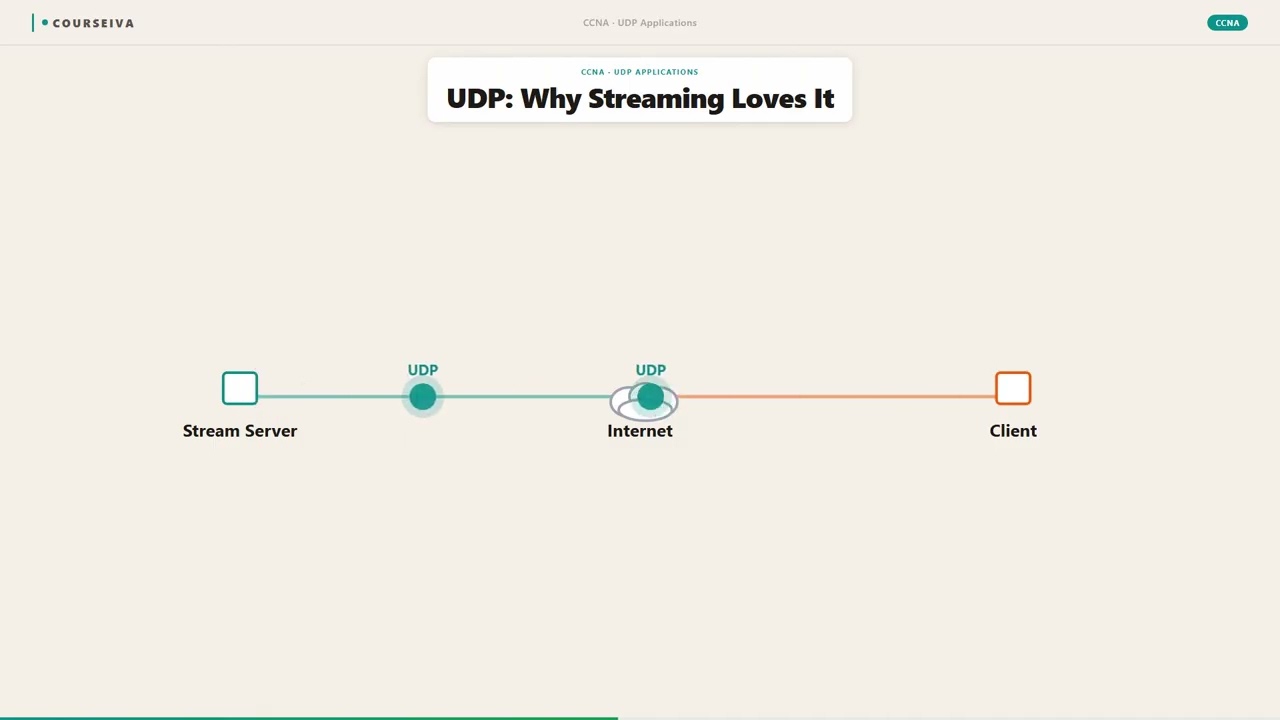
Streaming video and VoIP are real-time applications that are sensitive to delay and jitter. TCP's retransmissions and congestion control introduce variable delays that can ruin the user experience. With UDP, packets are sent as fast as the application generates them, and lost packets are simply dropped – the application can use error concealment or interpolation to hide the loss. The trade-off is acceptable because a few lost packets are less noticeable than a delayed stream. On the exam, remember that real-time traffic uses UDP, while non-real-time traffic uses TCP.
Terms Worth Knowing
Ready to put this to the test?
You've just covered TCP vs UDP — now see how well it sticks with free CCNA 200-301 practice questions. Full explanations included, no account needed.
Done with this chapter?