Network Topology Types
Before you can design, troubleshoot, or secure a network, you must understand its physical and logical layout — the network topology. This topic is foundational for the CCNA 200-301 exam (Objective 1.2) and for real-world engineering: topology choices affect cost, performance, redundancy, and troubleshooting complexity. Master this, and you'll know why some networks use a star while others use a mesh, and how to pick the right topology for any scenario.
Jump to a section
A simple way to picture Network Topology Types
City Street Layout as Network Topology
Imagine a city's street network. In a bus topology, a single main road runs through town, and every house connects directly to that road with a driveway. If a car (data frame) wants to go from house A to house F, it drives onto the main road, passes all other houses, and turns into house F's driveway. But if that main road is closed for repairs (a cable break), no one can communicate across town. Also, only one car can use the main road at a time; if two cars enter simultaneously, they collide (data collision), and both have to back up and try again later. This is exactly how early Ethernet (10BASE2, 10BASE5) worked — a coaxial cable ran from device to device, and only one device could transmit at a time. In a star topology, each house connects via its own private street to a central roundabout (the switch). If house A wants to send a message to house F, the message goes to the roundabout, and the roundabout directs it only onto the street leading to house F. If one street is blocked, only that house is affected — the rest of the town works fine. The roundabout can handle multiple cars at once because it has dedicated lanes for each street (full-duplex). This is why modern Ethernet uses star wiring with switches: each device gets a dedicated collision domain. In a ring topology, houses are connected in a circle, and a token (like a police escort) travels around the circle. Only the house holding the token can send a message. If a house wants to send, it waits for the token, attaches its message, and the token continues around the ring until the destination house copies the message. This was used in Token Ring and FDDI networks. If any house loses power (a node failure), the ring breaks — unless the network has a dual ring (like FDDI) that wraps around the failure. A mesh topology is like a city where every house has a direct road to every other house. This is extremely resilient — if one road is blocked, there are many alternate paths — but it's incredibly expensive because you need a separate road for each pair of houses. In networking, full mesh is used only in critical backbone links (e.g., between core routers), while partial mesh is more common for WAN connections. Finally, a tree topology combines multiple stars connected to a central backbone, like a city with several neighborhoods, each with its own roundabout, and those roundabouts connected to a main highway. This is how large enterprise networks are built: access switches (neighborhood roundabouts) connect to distribution switches, which connect to a core backbone (the highway).
How It Actually Works
What Is a Network Topology?
A network topology describes the arrangement of nodes (devices like routers, switches, PCs) and the links (cables, wireless) that connect them. There are two perspectives: physical topology — the actual layout of cables and devices — and logical topology — how data flows regardless of the physical layout. For example, you might have a physical star (all devices connect to a central switch) but a logical bus (if the switch is a hub, all devices share the same collision domain). The CCNA exam tests both, but focuses on the characteristics, advantages, and disadvantages of each topology type.
Why Topology Matters
Topology determines: - Cost: How much cabling and how many ports are needed. - Scalability: How easily the network can grow. - Reliability: How a single failure affects the network. - Performance: How data flows and whether collisions occur. - Troubleshooting: How easy it is to isolate a fault.
Bus Topology
In a bus topology, all devices connect to a single cable (the backbone or trunk). The cable has terminators at both ends to absorb signals and prevent reflections. Data frames travel in both directions along the cable; every device sees every frame but only the intended recipient processes it. This was common in early Ethernet (10BASE2 using coaxial cable).
How it works: When a device wants to transmit, it listens to the cable (carrier sense). If the cable is idle, it sends the frame. If two devices send at the same time, a collision occurs — the signals interfere, and both devices detect the collision, stop transmitting, wait a random backoff time (using CSMA/CD), and retry.
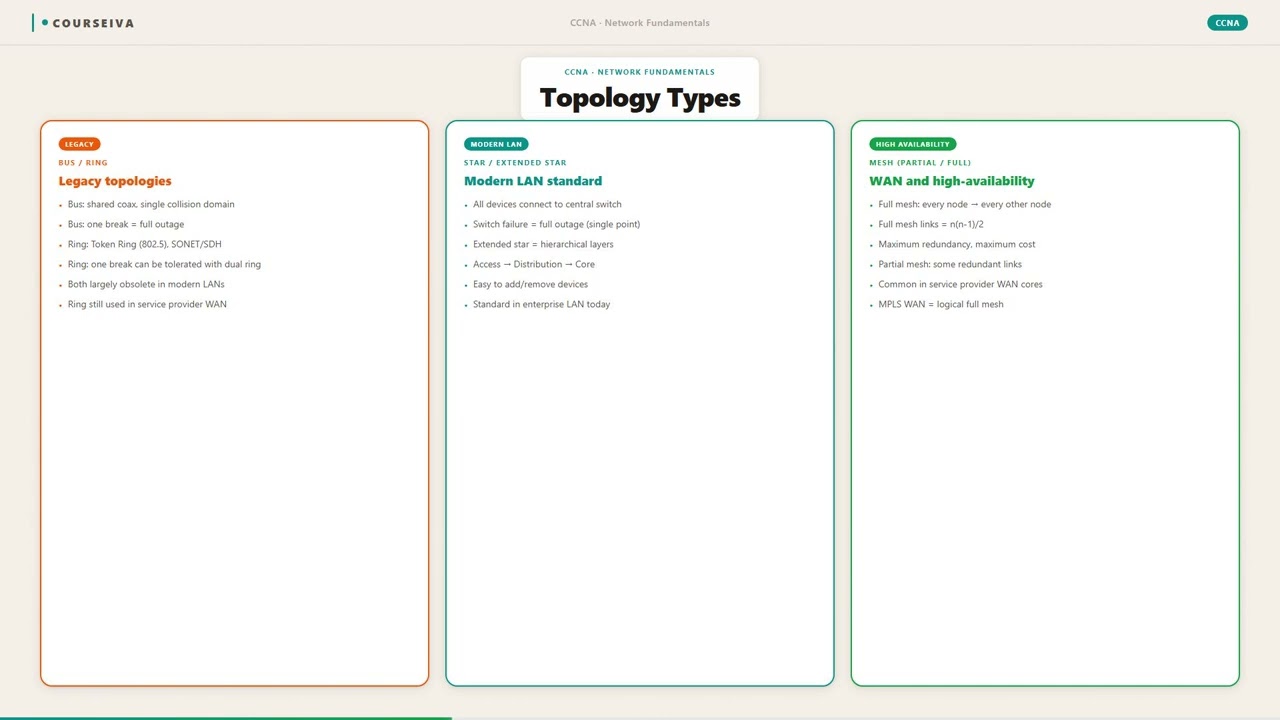
Key characteristics: - Single collision domain: all devices share the same medium. - Single broadcast domain: a broadcast frame reaches all devices. - Failure of the main cable brings down the entire segment. - Adding a device requires tapping into the cable (or using a connector), which can disrupt the network. - Limited length: the cable length is constrained by signal attenuation (e.g., 10BASE2 max 185 meters per segment).
Exam note: Bus topology is rarely used today except in legacy or specialized industrial networks. The CCNA exam expects you to know its limitations.
Star Topology
In a star topology, each device connects to a central device — typically a switch or a hub. The central device acts as a concentration point. This is the most common physical topology in modern Ethernet networks.
How it works with a switch: Each device has a dedicated cable to the switch. The switch learns MAC addresses and forwards frames only to the appropriate port. This creates separate collision domains — each link is a full-duplex, collision-free connection. The switch also handles broadcast frames by flooding them out all ports (except the incoming port).
Key characteristics: - Each link is a separate collision domain (with a switch) or a single collision domain (with a hub). - Failure of a single cable affects only that device. - The central switch is a single point of failure — if it fails, all connected devices lose connectivity. - Easy to add or remove devices without disrupting the network. - Scalable: you can connect multiple switches in a hierarchical design.
Exam note: The CCNA exam often asks: "Which topology provides the best fault isolation?" Answer: Star (because a single cable failure doesn't affect other devices).
Ring Topology
In a ring topology, each device connects to two neighbors, forming a closed loop. Data travels in one direction (or both in a dual ring). Each device acts as a repeater: it receives data from one neighbor, regenerates the signal, and forwards it to the next neighbor. This was used in Token Ring (IEEE 802.5) and FDDI (Fiber Distributed Data Interface).
How it works (Token Ring): A special frame called a token circulates around the ring. A device can only transmit when it has the token. It attaches its data frame to the token and sends it. The frame travels around the ring; each device checks the destination address. If the address matches, the device copies the frame and marks it as received. The frame continues until it returns to the sender, who removes it and releases a new token. This eliminates collisions because only one device can transmit at a time.
Key characteristics: - No collisions — deterministic access. - Failure of a single device or cable breaks the ring (unless a dual-ring or self-healing mechanism is used). - Adding or removing devices requires breaking the ring, causing disruption. - More complex cabling and hardware than star.
Exam note: Ring topology is mostly historical for LANs, but the concept appears in WAN technologies like SONET/SDH rings. The exam may ask about token passing or the impact of a single break.
Mesh Topology
In a mesh topology, every device has a point-to-point connection to every other device. This provides maximum redundancy: if one link fails, traffic can take an alternate path. Full mesh means every node connects to every other node; partial mesh means some nodes have redundant connections but not all.
How it works: Each node has a dedicated link to each other node. This requires N*(N-1)/2 links for N nodes. For example, 4 nodes need 6 links; 10 nodes need 45 links. Each link can be a separate physical cable or a logical circuit (e.g., a virtual circuit in a WAN).
Key characteristics: - Extremely fault-tolerant: multiple paths exist. - High performance: no contention — each link is dedicated. - Very expensive in cabling and ports — not practical for large LANs. - Used in core networks (e.g., between backbone routers) or in WANs where reliability is critical. - Troubleshooting is complex due to many interconnections.
Exam note: The exam may ask you to calculate the number of links in a full mesh. Formula: N(N-1)/2. Also know that full mesh is impractical for more than a few nodes.
Tree (Hierarchical) Topology
A tree topology combines multiple star topologies connected to a central bus or backbone. This is essentially a hierarchical design: access switches connect to distribution switches, which connect to a core switch/router. It's the foundation of modern enterprise campus networks.
How it works: Data flows from the access layer (end devices) to the distribution layer (aggregation) and then to the core layer (high-speed backbone). The backbone is typically a high-capacity link (e.g., fiber). Each branch is a star; the overall structure resembles a tree.
Key characteristics: - Scalable: you can add new branches (stars) without affecting the rest. - Centralized management: the backbone is the core. - Single point of failure at the backbone (if the backbone fails, entire segments lose connectivity). - Requires careful planning to avoid bottlenecks. - Used in large enterprises, campuses, and data centers.
Exam note: The CCNA exam often presents a scenario where you must choose a topology for a growing company. Tree (or extended star) is the typical answer because it balances cost, scalability, and manageability.
Hybrid Topology
A hybrid topology is a combination of two or more basic topologies. For example, a company might have a star-wired ring (physical star, logical ring) or a mesh of stars (each star is a site, and sites are connected in a mesh via WAN links). The exam expects you to recognize that real-world networks are almost always hybrid.
Logical vs. Physical Topology
It's critical to distinguish between physical and logical topology. For example: - Physical star, logical bus: When a hub is the central device — all devices share the same collision domain (logical bus). - Physical star, logical star: When a switch is the central device — each link is a separate collision domain. - Physical ring, logical ring: Token Ring. - Physical mesh, logical mesh: Routers with multiple WAN links.
The exam may show a diagram and ask: "What is the physical topology? What is the logical topology?"
IOS CLI Verification
While topology is not directly configured on a single device, you can verify the physical and logical topology using various show commands:
Router# show interfaces
GigabitEthernet0/0 is up, line protocol is up
  Hardware is CN Gigabit Ethernet, address is aaaa.bbbb.cccc
  MTU 1500 bytes, BW 1000000 Kbit/sec, DLY 10 usec,
     reliability 255/255, txload 1/255, rxload 1/255
  Encapsulation ARPA, loopback not set
  Keepalive set (10 sec)
  Full-duplex, 1000Mb/s
  input errors: 0, CRC: 0
Switch# show cdp neighbors
Capability Codes: R - Router, T - Trans Bridge, B - Source Route Bridge
S - Switch, H - Host, I - IGMP, r - Repeater
Device ID Local Intrfce Holdtme Capability Platform Port ID
Switch2 Gig 0/1 172 S WS-C2960 Gig 0/2
Router1 Gig 0/2 150 R ISR4331 Gig 0/0Switch# show mac address-table
Mac Address Table
-------------------------------------------
Vlan Mac Address Type Ports
---- ----------- -------- -----
1 0050.7966.6800 DYNAMIC Gi0/1
1 0050.7966.6801 DYNAMIC Gi0/2These commands help you discover the physical connections and logical adjacency, effectively revealing the topology.
Walk-Through
Identify Physical Connections
Begin by physically inspecting the network or consulting a diagram. Note which devices are connected and via which interfaces. Use `show cdp neighbors` on Cisco devices to discover directly connected neighbors. CDP (Cisco Discovery Protocol) runs on Layer 2 and provides device ID, platform, and port information. Example: `Switch# show cdp neighbors` lists all adjacent devices. This step reveals the physical topology — star, ring, mesh, etc.
Determine Logical Topology
Logical topology is about data flow. For Ethernet, if the central device is a hub, the logical topology is a bus (shared collision domain). If it's a switch, the logical topology is a star (dedicated collision domains). Use `show interfaces` to check duplex mode and speed. If all devices show half-duplex, a hub is likely present. If full-duplex, a switch is used. Also check for VLANs: a single switch can logically segment the network into multiple broadcast domains, changing the logical topology.
Assess Collision and Broadcast Domains
Count the number of collision domains and broadcast domains. With a hub, all ports are in one collision domain. With a switch, each port is a separate collision domain. Broadcast domains are separated by routers (or VLANs). Use `show interfaces` to see the interface status; the number of up interfaces on a switch indicates collision domains. For broadcast domains, check the VLAN configuration: each VLAN is a separate broadcast domain. This step is crucial for exam questions that ask for domain counts.
Evaluate Redundancy and Fault Tolerance
Examine the topology for single points of failure. In a star, the central switch is a single point of failure. In a full mesh, there are multiple paths. Use `show ip route` or `show spanning-tree` to see redundant paths. Spanning Tree Protocol (STP) prevents loops in redundant switched networks. If STP is blocking a port, that indicates a redundant link. This step helps you understand the network's resilience.
Document the Topology
Create a diagram showing physical connections and logical data flow. Label device names, interface numbers, IP addresses, VLANs, and link types. Use tools like draw.io or even a text-based diagram. For the CCNA lab, you can use `show running-config` to capture interface configurations. Documentation is essential for troubleshooting and future changes. In the exam, you may be asked to identify the topology from a partial diagram.
What This Looks Like on the Job
In a real enterprise, the network topology is rarely a single type — it's a hybrid designed for the specific needs of the organization. Let's look at three common scenarios.
Scenario 1: Small Office / Branch Office A small office with 20 employees typically uses a star topology with a single switch (or a few stacked switches) in a wiring closet. Each desk has a cable running to the switch. This is cheap, easy to manage, and sufficient for the scale. The problem: the switch is a single point of failure. If it dies, everyone loses connectivity. To mitigate, some offices deploy a second switch and use link aggregation (EtherChannel) or keep a spare switch on the shelf. The physical topology is star; the logical topology is also star (since switches are used). The network engineer must ensure the switch has enough ports for growth and that cabling is properly labeled.
Scenario 2: Campus Network A university campus with multiple buildings uses a tree (hierarchical) topology. Each building has access switches (star) that connect to distribution switches in the building's IDF (Intermediate Distribution Frame). The distribution switches connect to a core switch in the main data center via fiber links. This design is scalable: adding a new building just requires connecting its distribution switch to the core. Redundancy is achieved by having two core switches and dual-homing distribution switches (each distribution switch connects to both cores). Spanning Tree Protocol (STP) blocks one of the uplinks to prevent loops, but with Rapid PVST+, failover is fast. The physical topology is a tree; the logical topology is also a tree, but with redundant links creating a partial mesh at the core.
Scenario 3: Data Center A data center uses a spine-leaf topology (a form of two-tier star). Each server (leaf) switch connects to every spine switch, and every spine switch connects to every leaf switch. This creates a full mesh between the spine and leaf layers, providing high bandwidth and low latency. No single link or switch failure disrupts traffic; traffic can take any path. This is essentially a partial mesh (leaf-to-spine fully connected, but leaf-to-leaf only through spines). The physical topology is a star (each leaf connects to multiple spines), but the logical topology is a mesh. Network engineers use ECMP (Equal-Cost Multi-Path) to load balance across the spines. Misconfiguration, such as incorrect VLAN pruning or STP misconfiguration, can cause loops or black holes. Proper design uses BGP or OSPF to route between layers.
Common pitfalls: - Using hubs in a star topology — creates a logical bus with collisions, degrading performance. - Daisy-chaining switches without considering STP — can cause loops and broadcast storms. - Not planning for growth — a star with a 24-port switch may run out of ports; a tree design allows easy expansion. - Overlooking power and cooling for central devices — a single switch in a star is a critical point that must be reliable.
Performance considerations: - In a star, the central switch's backplane capacity and port speeds determine overall throughput. - In a tree, the backbone links must be high-capacity (e.g., 10 Gbps or 40 Gbps) to avoid bottlenecks. - In a mesh, the number of links grows quadratically, so cost and complexity must be balanced with redundancy needs.
What happens when misconfigured? - A single cable break in a bus topology takes down the entire segment. - A failed switch in a star isolates all devices connected to it. - A loop in a tree topology (if STP is disabled) causes broadcast storms, high CPU utilization, and network meltdown. - In a mesh, incorrect routing can cause suboptimal path selection or routing loops.
Real-world network engineers always document the topology and use monitoring tools (SNMP, NetFlow) to detect failures quickly. They also plan for redundancy at the critical points — typically the core and distribution layers.
How CCNA 200-301 Actually Tests This
The CCNA 200-301 exam objective 1.2 states: "Describe network topology types." This is a foundational topic that appears in multiple-choice questions, often in scenario form. Here's exactly what you need to know.
What the exam tests: - Identify the physical and logical topology from a description or diagram. - Know the advantages and disadvantages of each topology (bus, star, ring, mesh, tree, hybrid). - Calculate the number of links in a full mesh (N(N-1)/2). - Understand collision and broadcast domains in relation to topology. - Recognize that modern Ethernet uses a physical star but logical star (with switches) or logical bus (with hubs). - Know that ring topology is mostly historical but appears in WAN contexts (e.g., SONET).
Top 4 wrong answers and why candidates choose them: 1. "A star topology uses a hub." — Wrong because a star can use either a hub or a switch. The exam often describes a physical star with a switch, which is the modern implementation. Candidates confuse the device type. The correct answer is that a star topology uses a central device (could be hub or switch). 2. "A mesh topology is the most cost-effective." — Wrong because mesh is the most expensive due to the large number of links. Candidates may think "redundant = good = cheap" but that's not true. The correct answer is that mesh is the most fault-tolerant but also the most costly. 3. "In a ring topology, data flows in both directions." — Wrong because in a basic ring, data flows in one direction (unidirectional). Some rings (like FDDI) have dual rings for redundancy, but the standard ring is unidirectional. Candidates may assume bidirectional because it seems more efficient. 4. "A tree topology is the same as a star." — Wrong because a tree is a hierarchy of stars. A single star is just one level; a tree has multiple levels (access, distribution, core). Candidates often oversimplify.
Specific values, defaults, and command outputs: - Number of links in a full mesh: N(N-1)/2. For 5 nodes: 5*4/2 = 10 links. - Bus topology: 10BASE2 max segment length 185 meters, max 30 nodes per segment. - Star topology: with a switch, each port is a separate collision domain; with a hub, all ports are one collision domain. - Ring topology: token holding time (default in Token Ring is 10 ms). - Tree topology: typical Cisco hierarchical model: Access, Distribution, Core.
Calculation traps: - The exam might ask: "How many links are needed for a full mesh of 6 routers?" Answer: 15. Trap: candidate might answer 6 (thinking each router needs one link) or 30 (double counting). - Another trap: "How many collision domains in a star with a 24-port switch?" Answer: 24 (each port is a separate collision domain). If it were a 24-port hub, answer would be 1.
Decision rule for scenario questions: When a question asks you to choose a topology for a given situation, follow this elimination strategy:
If the requirement is low cost and small network → star (with a switch) or bus (if very small and legacy).
If the requirement is high fault tolerance and budget is not a concern → mesh (full or partial).
If the requirement is scalability and manageability → tree (hierarchical).
If the requirement is deterministic access (no collisions) → ring (token passing).
If the description mentions a central point of failure → star (the central device is the SPOF).
If the description mentions a single cable break affecting all → bus.
Memorize these decision rules. They will help you answer quickly and correctly.
Key Takeaways
Physical topology: actual layout of cables and devices; logical topology: how data flows regardless of physical layout.
Bus topology: single cable, all devices share one collision domain, terminators at both ends, limited length (185m for 10BASE2).
Star topology: central device (hub or switch), each device has dedicated cable, easy to troubleshoot, central device is SPOF.
Ring topology: closed loop, token passing for access, deterministic, single break disrupts the ring (unless dual-ring).
Mesh topology: every device connected to every other, maximum redundancy, N(N-1)/2 links, expensive.
Tree topology: hierarchical stars, scalable, used in enterprise campus networks, backbone is potential SPOF.
Modern Ethernet uses physical star with switches (logical star) or hubs (logical bus).
Easy to Mix Up
These come up on the exam all the time. Here's how to tell them apart.
Bus Topology
Single cable shared by all devices
Single collision domain
Single cable break brings down entire segment
Difficult to add/remove devices (disruptive)
Low cost but poor scalability
Star Topology
Each device has dedicated cable to central device
Separate collision domains (with switch)
Single cable break affects only that device
Easy to add/remove devices without disruption
Moderate cost, good scalability
Ring Topology
Closed loop, unidirectional data flow
Token passing for media access (deterministic)
Single device failure breaks the ring
Moderate cabling cost (N links)
Used in legacy LANs and some WANs
Mesh Topology
Every device connected to every other
No media access control needed (dedicated links)
Highly fault-tolerant (multiple paths)
High cabling cost (N(N-1)/2 links)
Used in core networks and critical WAN links
Watch Out for These
Mistake
A star topology always uses a hub.
Correct
A star topology uses a central device, which can be a hub or a switch. The difference is critical: a hub creates a logical bus (single collision domain), while a switch creates a logical star (multiple collision domains).
Candidates often associate 'star' with the physical layout and assume the central device is a hub because hubs were common in early star networks.
Mistake
A ring topology is bidirectional.
Correct
A basic ring topology is unidirectional — data travels in one direction around the ring. Some implementations like FDDI use dual counter-rotating rings for redundancy, but the standard Token Ring (IEEE 802.5) is unidirectional.
Candidates assume data must flow both ways for redundancy, confusing ring with mesh.
Mistake
A mesh topology is the most cost-effective because it uses many links.
Correct
Mesh topology is the most expensive due to the large number of links and ports required. The formula N(N-1)/2 shows that the number of links grows quadratically with the number of nodes.
Candidates may think 'more links = more reliability = better value' without considering the cost.
Mistake
A tree topology is the same as a star topology.
Correct
A tree topology is a hierarchy of stars — it has multiple levels (access, distribution, core). A star is a single-level topology. Tree is more scalable and used in larger networks.
Candidates see the star shape in each branch and assume the entire tree is just a big star.
Do You Actually Know This?
Reveal each answer, then mark whether you got it right. Score 60%+ to unlock the next chapter.
Frequently Asked Questions
What is the difference between physical and logical topology?
Physical topology refers to the actual layout of cables, devices, and connections — how things are plugged in. Logical topology refers to how data flows through the network, regardless of the physical layout. For example, a physical star with a hub creates a logical bus (all devices share the same medium). A physical star with a switch creates a logical star (each device has a dedicated path). The CCNA exam expects you to distinguish between the two and understand that the same physical topology can have different logical topologies depending on the central device.
Why is bus topology rarely used today?
Bus topology has several drawbacks: a single break in the main cable brings down the entire segment, it is difficult to troubleshoot, adding or removing devices can disrupt the network, and performance degrades as more devices are added because all share the same collision domain. Modern Ethernet uses star topology with switches, which provides better performance, fault isolation, and scalability. The CCNA exam may ask why bus is obsolete — the key reasons are single point of failure and poor scalability.
How many collision domains are in a star topology with a 16-port switch?
16 collision domains. Each port on a switch creates a separate collision domain because the switch isolates traffic between ports. If the central device were a hub, there would be only one collision domain. The exam loves this distinction. Remember: switches break collision domains; hubs do not.
What is a dual ring topology?
A dual ring topology consists of two counter-rotating rings. Data flows in opposite directions on each ring. If a break occurs in one ring, the traffic can wrap around onto the other ring, maintaining connectivity. This provides fault tolerance. FDDI (Fiber Distributed Data Interface) is a well-known example. The CCNA exam may present this as a more resilient version of ring topology.
Can a network have different physical and logical topologies?
Yes. For example, a physical star with a hub results in a logical bus because all devices share the same collision domain. Another example: a physical ring (cables arranged in a ring) with a switch that creates a logical star (if the switch is used as a central point). The exam may show a diagram and ask you to identify both the physical and logical topology.
What is a hybrid topology?
A hybrid topology combines two or more different topologies into one network. For example, a company might have a star topology in each department, and those stars are connected in a ring or mesh backbone. Most real-world networks are hybrid. The CCNA exam expects you to recognize that hybrid topologies are common and to be able to identify the component topologies.
How do I calculate the number of links in a partial mesh?
There is no single formula for a partial mesh because it depends on the design. However, you can count the links from a diagram. The exam typically asks for full mesh calculations (N(N-1)/2). For partial mesh, you may be given a diagram and asked to count the links. The key is to understand that partial mesh has fewer links than full mesh but more than a star or ring.
Terms Worth Knowing
Ready to put this to the test?
You've just covered Network Topology Types — now see how well it sticks with free CCNA 200-301 practice questions. Full explanations included, no account needed.
Done with this chapter?